Inventory
Your own listings - for sale and for rent - in one place.
1Browse your listings
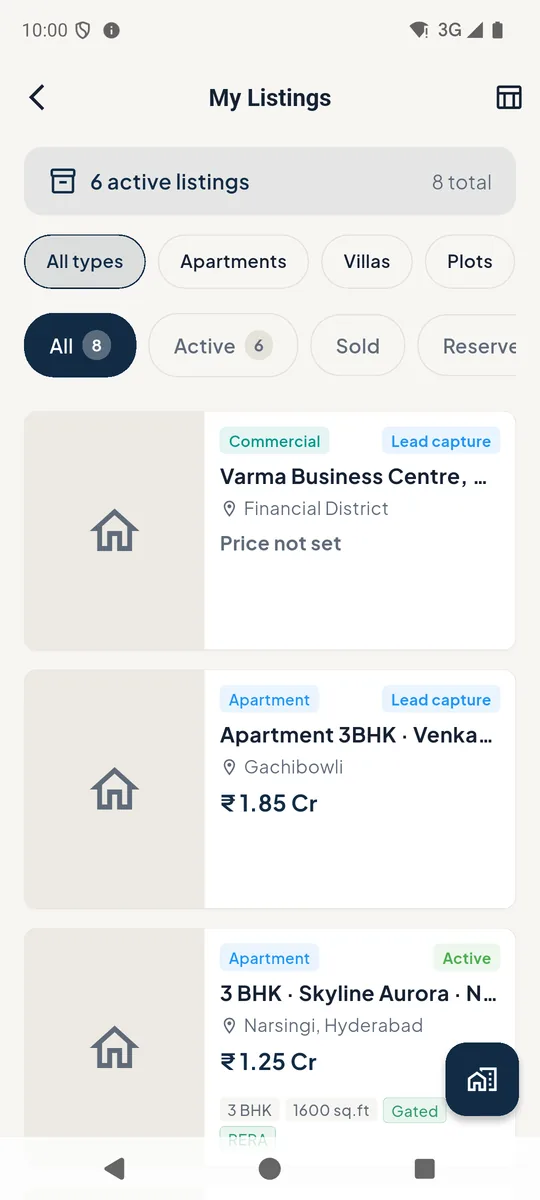
Open Inventory from the home screen. Filter by property type 1 and status 2. The table icon 3 switches to a spreadsheet view.
Listings marked Lead capture come from your seller and landlord leads.
Tap the button 4 to add a listing.
 1234
1234Inventory list 2A listing
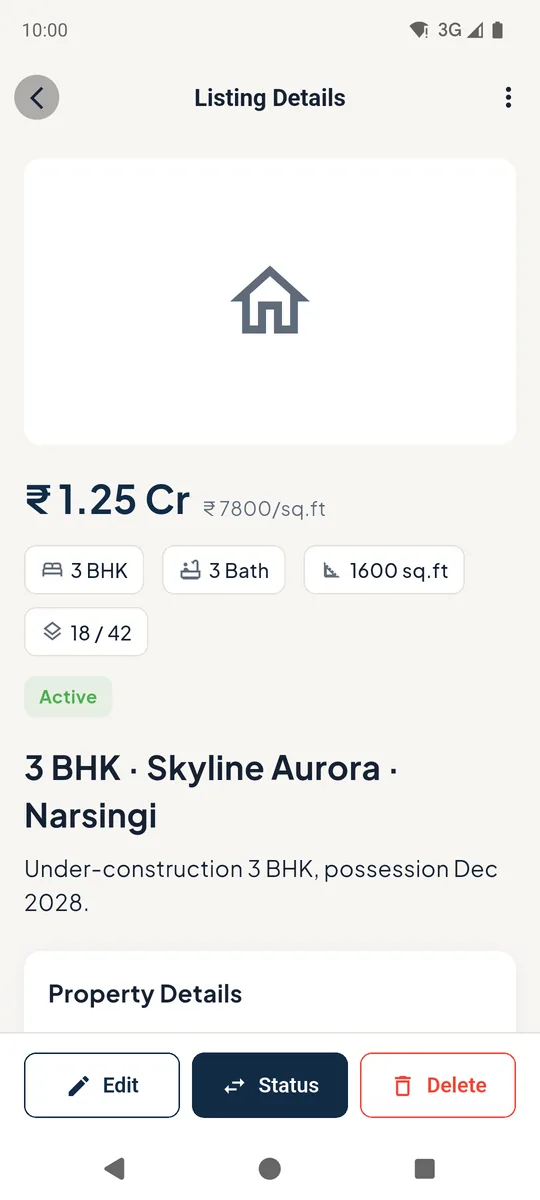
See the price, size, details and commission sharing. Edit, change the Status (sold, reserved, delisted) or Delete at the bottom.
Listing details 3Add a listing
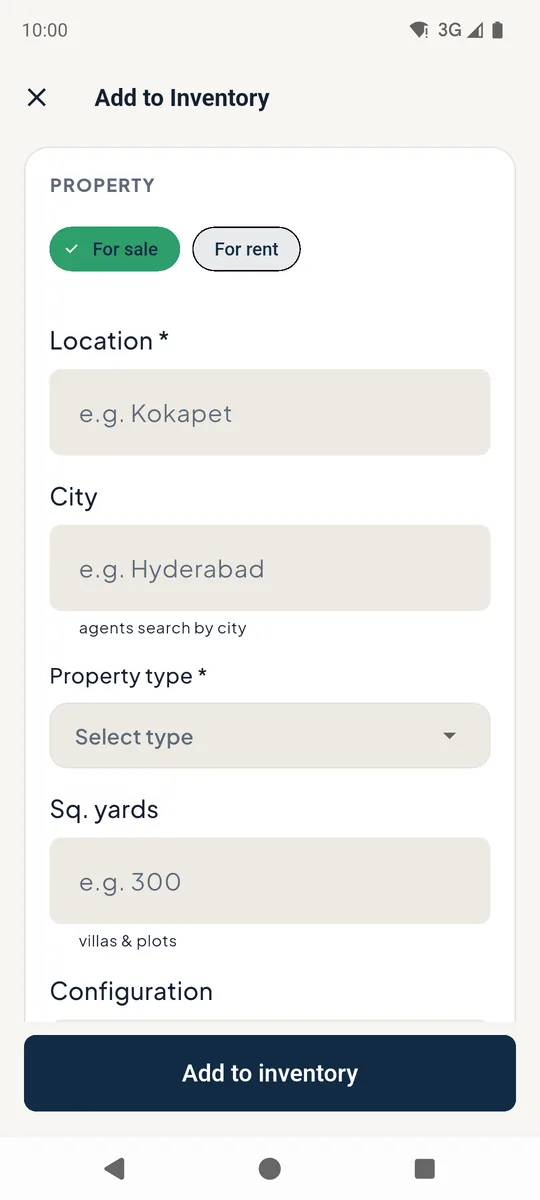
Choose For sale or For rent, then the location, property type, configuration, approvals, unit details and price. Share with other agents makes it visible in the Market.
Add to inventory form
Still stuck? Email supportNext: Projects and builders →