Install and sign in
Sign in with your phone number and a code sent on WhatsApp. There is no password.
1Enter your phone number
Install PakkaLead from Google Play and open it. After the welcome slides you reach the sign-in screen.
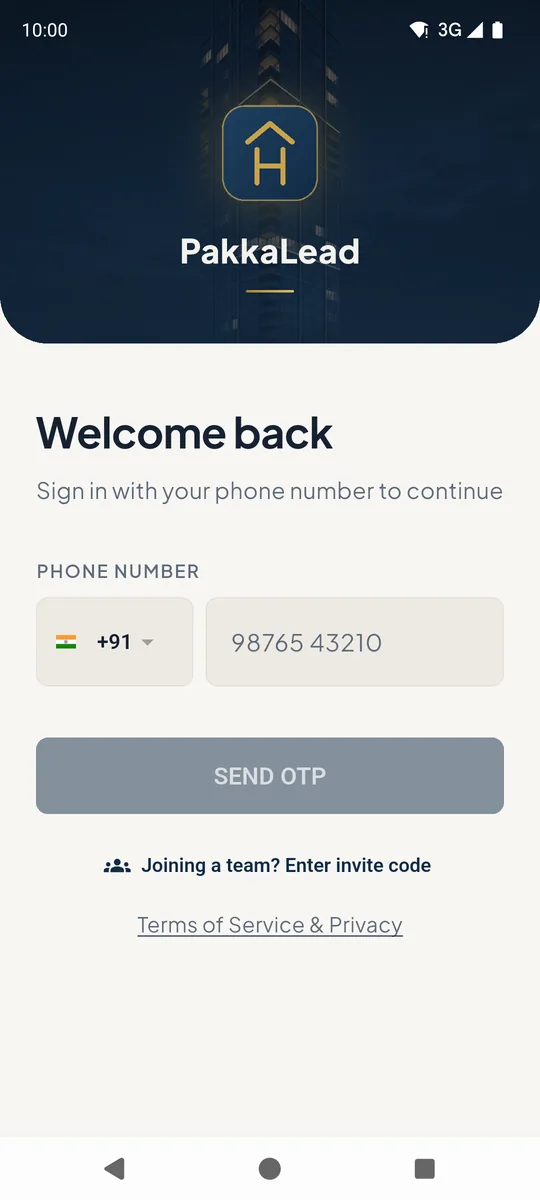
Type your 10-digit mobile number 1. Change the country code only if your number is not Indian.
Tap SEND OTP 2. A 6-digit code arrives on WhatsApp from the PakkaLead business number.
If your company has already added you to its team, just sign in with that number - you land in the team straight away. Only use Joining a team? Enter invite code 3 if your admin gave you a code.
 123
123Sign-in screen with phone number field 2Enter the code
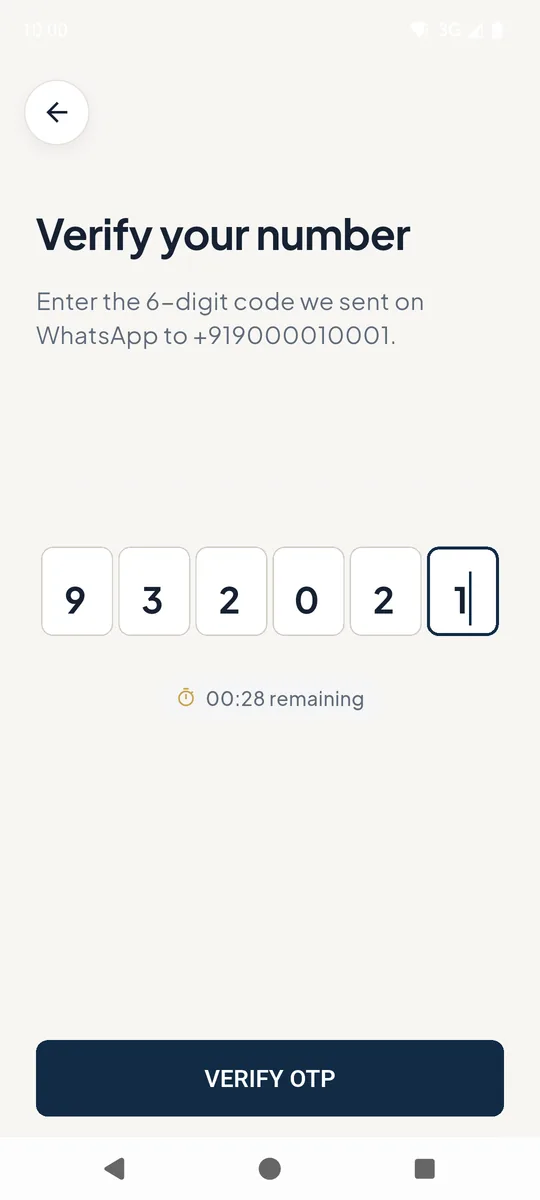
Type the 6-digit code from WhatsApp into the boxes 1 and tap VERIFY OTP 2.
The code is valid for 10 minutes. If it does not arrive, wait for the timer and request a new one.
 12
12Code entry screen
Good to know
- Signing in on a new phone moves your account there - your leads are stored in your account, not on the phone.
Still stuck? Email supportNext: Complete your profile →