Site visits
Plan property visits, then record how they went.
1Upcoming and past visits
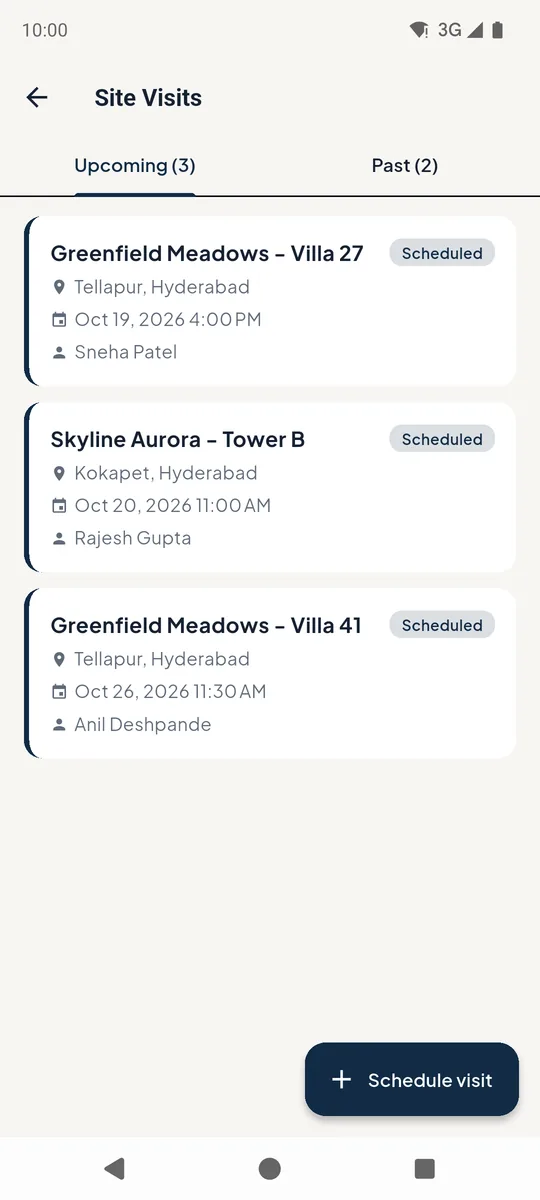
Open Site Visits from the home screen. Upcoming lists scheduled visits; Past shows completed ones.
Tap a visit 1 to see its details. Schedule visit 2 adds a new one.
 12
12Upcoming site visits 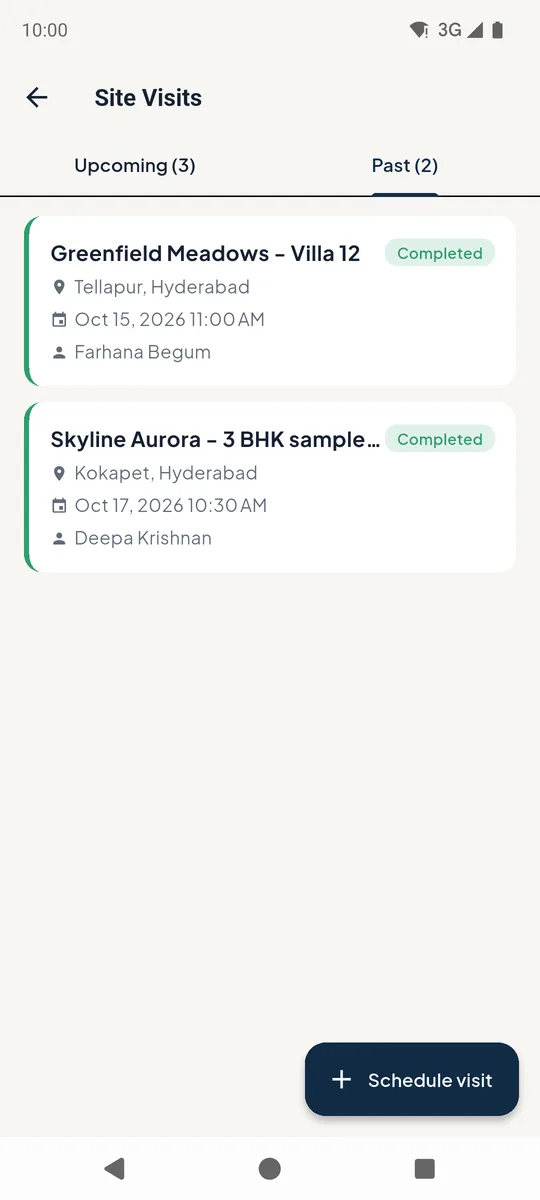
Completed site visits 2After the visit
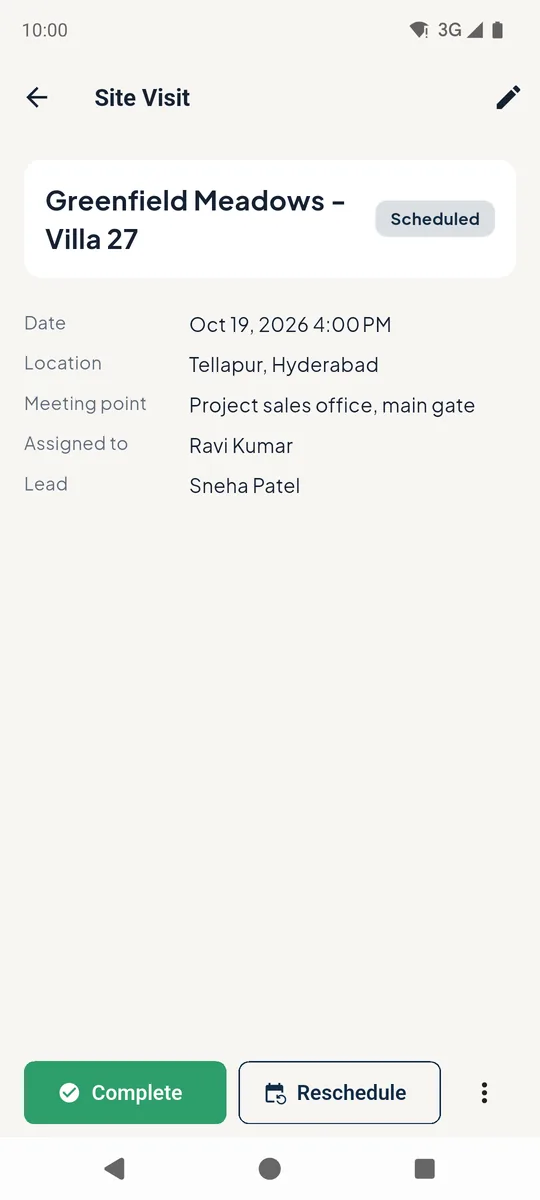
Tap Complete 1 and write the client's feedback. The lead moves to Site Visit Done automatically.
Plans changed? Tap Reschedule 2.
 12
12Site visit details 3Schedule a visit
Enter the property name and location, pick the date and time, link the lead and choose who will take the client. Tap Schedule visit.
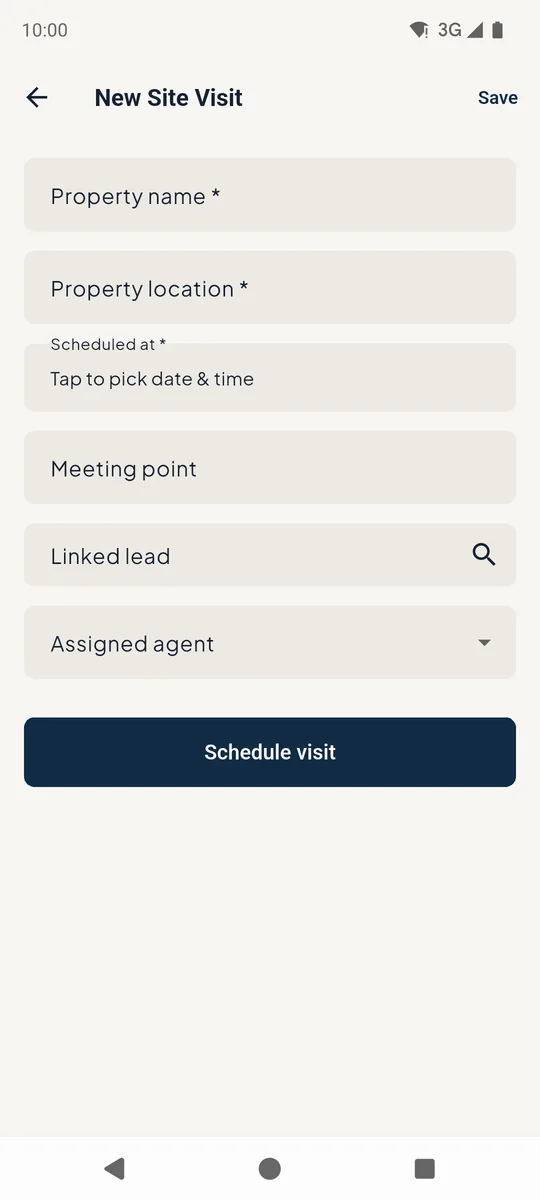
New site visit form
Still stuck? Email supportNext: Find and work your leads →