Add team membersAdmins
Bring your agents into your workspace. Their leads sync to you automatically.
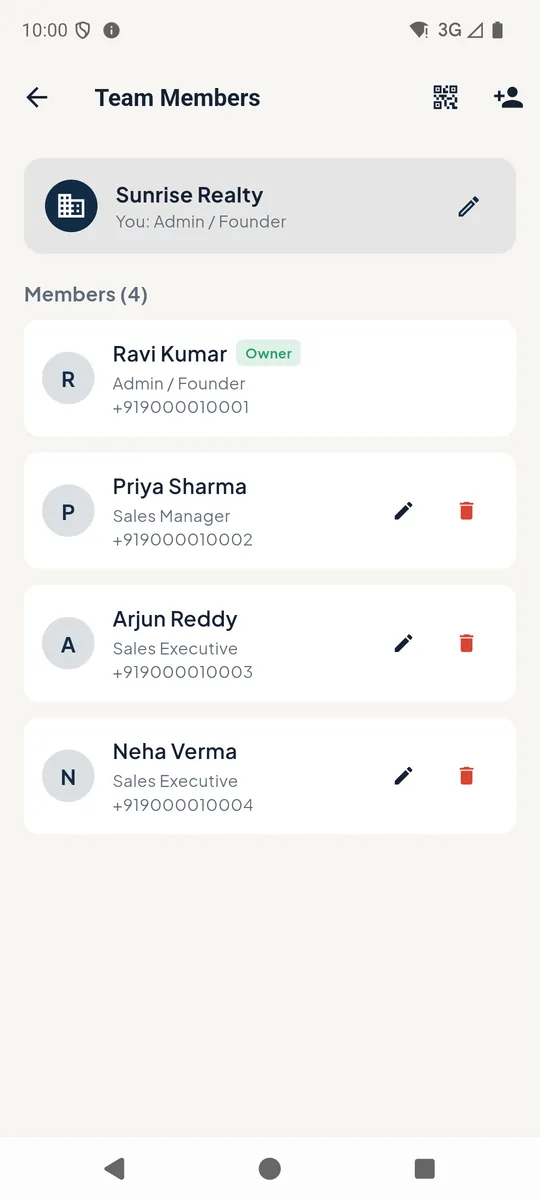
1Team members
Open Profile → Team Members. Tap the add icon 1 to add someone, or the QR icon 2 to create an invite code. Use the pencil 3 to change a member's role.
 123
123Team members 2Add a member
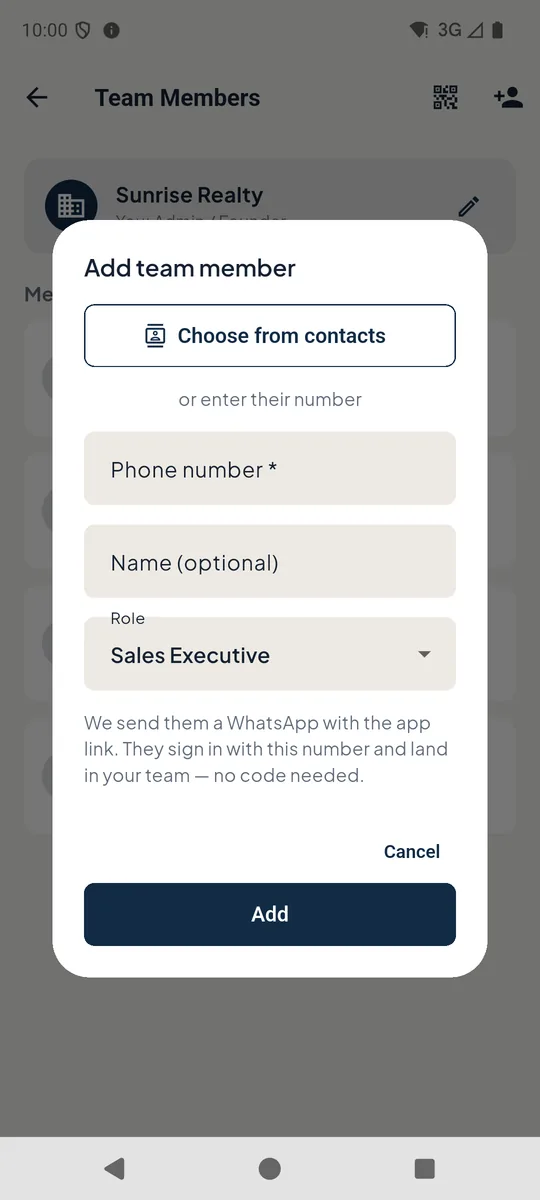
Choose them from your contacts 1 or type their number 2, and pick a role 3: Sales Executive, Sales Manager or Admin.
Tap Add 4. They get a WhatsApp with the app link. When they sign in with that number they are in your team - no code needed - and their leads and follow-ups appear in yours.
 1234
1234Add team member
Good to know
- Admins see everyone's leads, managers see their team's, and sales executives see their own.
Still stuck? Email supportNext: Use PakkaLead on your computer →