Leads on the web
Your leads as a spreadsheet you can edit, filter and export.
1The leads sheet
The counters 1 switch between all leads, customers, channel partners and companies. Filter by assignee, type, status and location 2.
Columns with a pencil 3 can be edited right in the sheet - double-click a cell. Open sheet 4 opens a full-screen sheet; Export downloads to Excel.
Add lead 5 opens the new-lead form. Click a name to open the lead.
pakkalead.in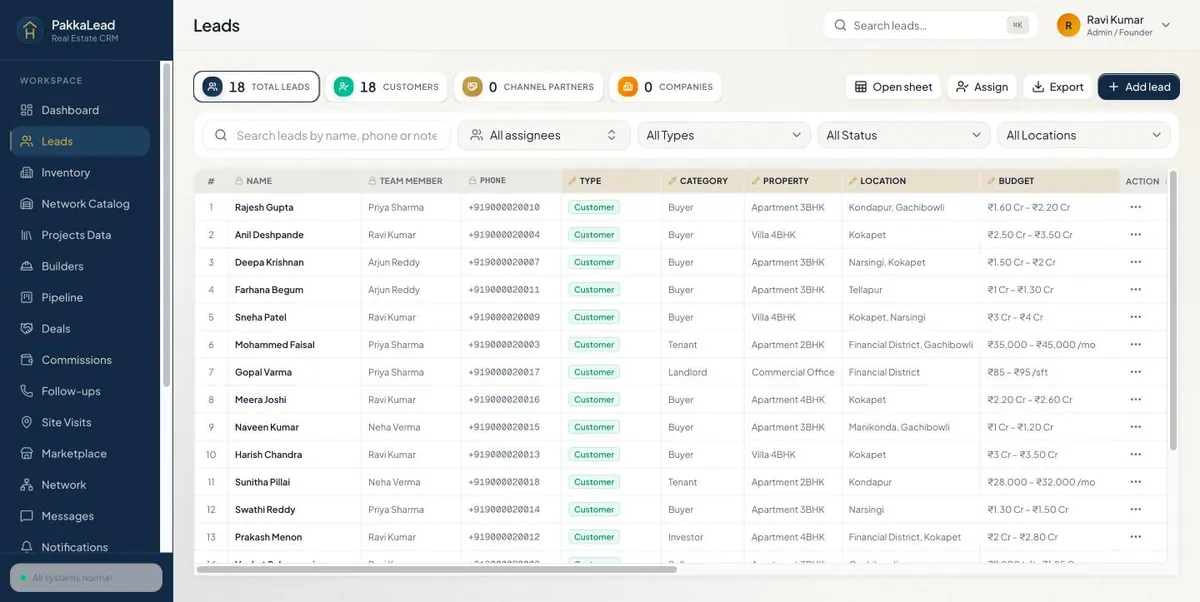 12345
12345Leads sheet 2Do everything from the ⋯ menu
Every row has a ⋯ button in the Action column 1. One click gives you:
View lead and Edit lead 2; Add note and Schedule follow-up 3; Share lead with a connected agent and Reassign it to a teammate 4.
Call, Send message, Send project link (share projects and register with the builder in one step), WhatsApp and Copy number 5 - all without opening the lead.
Mark as Lost 6 closes a lead that won't buy.
pakkalead.in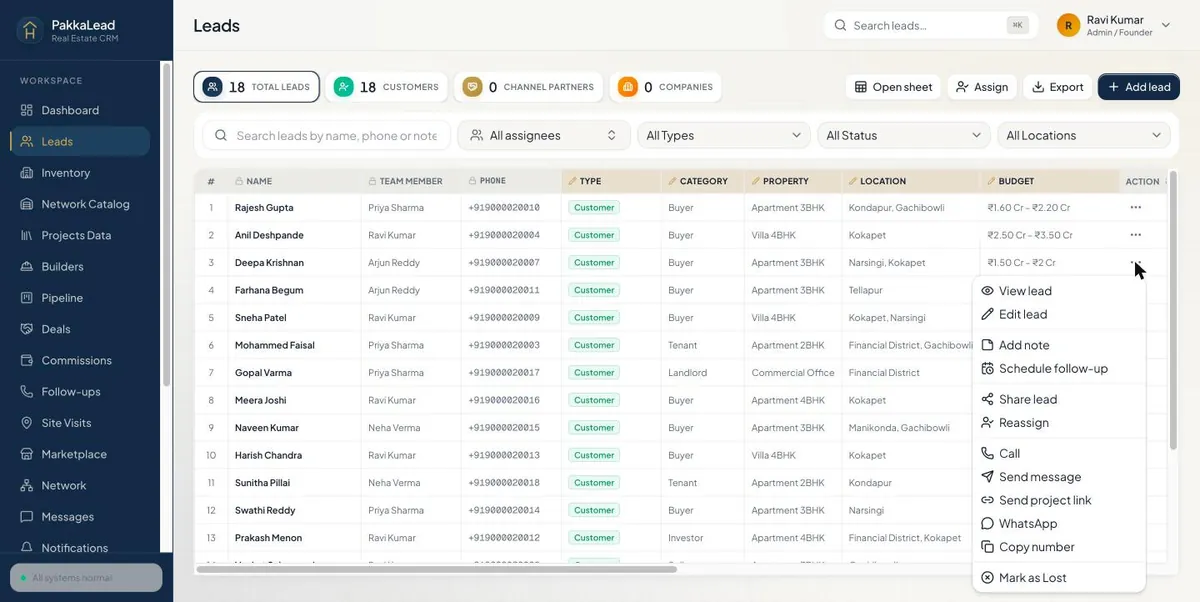 123456
Lead actions menu 3A lead
See the requirement, budget and call history. WhatsApp or call 1 straight from the page, add notes in History, and click Edit 2 to change anything.
pakkalead.in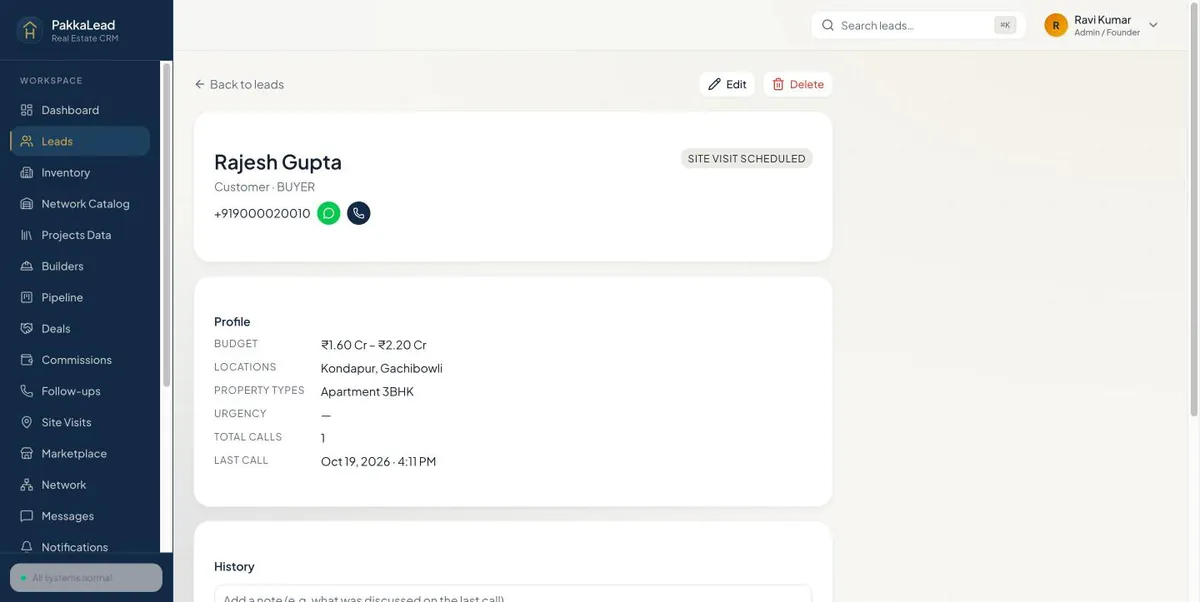 12
12Lead details on the web 4Add a lead
Pick the lead type 1 and source, then fill in the name, phone, customer type, property type, budget and locations. Budgets are in Crores - 0.80 means 80 Lakhs.
pakkalead.in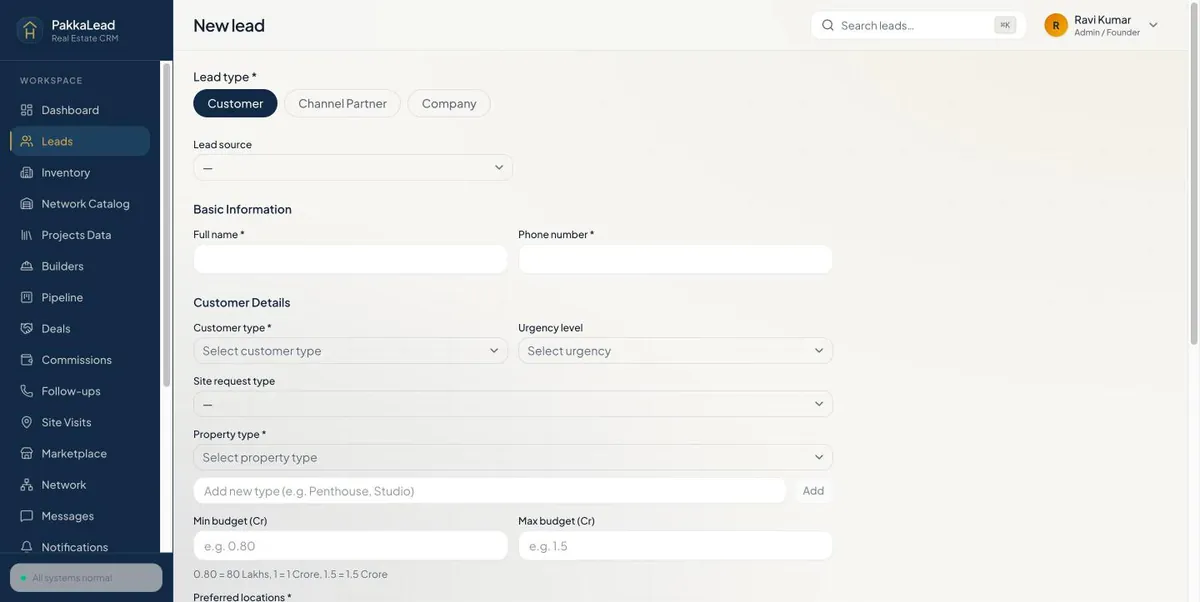 1
1New lead form on the web