One-click WhatsApp messages
Ready-written WhatsApp messages for every lead, at the right moment. Check it, tap Send - done.
1Your messages are written for you
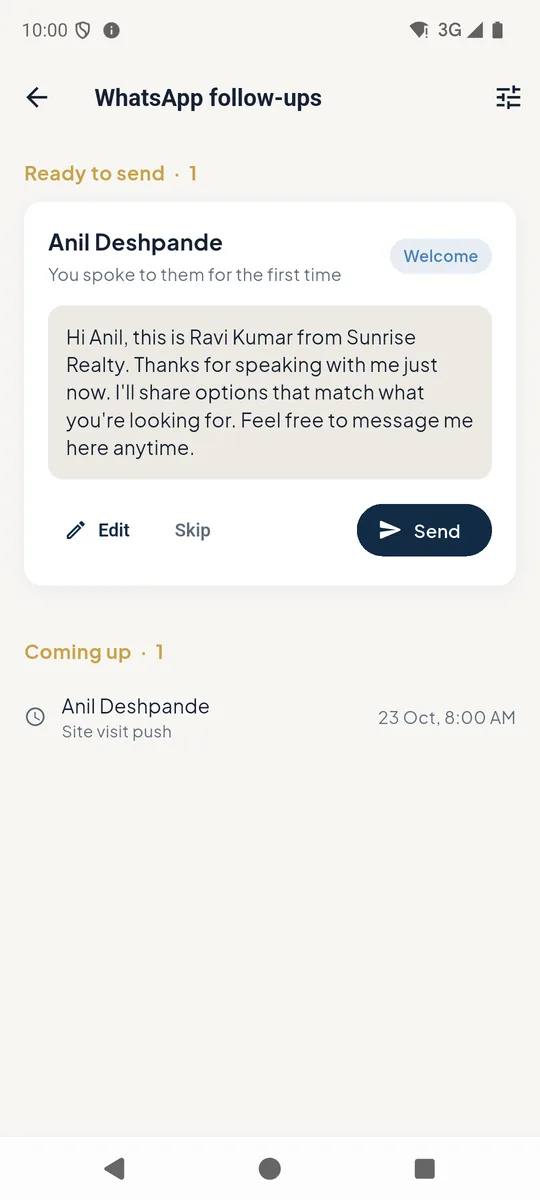
After a call with a new lead, PakkaLead writes the Welcome message 1 with your name and company already in it. Days later it lines up the next one - a Site visit push, a weekly follow-up, a thank-you after a visit.
Open WhatsApp from Quick actions on the home screen. Everything Ready to send is at the top.
Tap Send 2 and WhatsApp opens with the message typed - just press send. Edit 3 changes the words first; Skip drops it.
Coming up 4 shows what is scheduled next and when.
 1234
1234WhatsApp follow-ups ready to send 2Make the messages sound like you
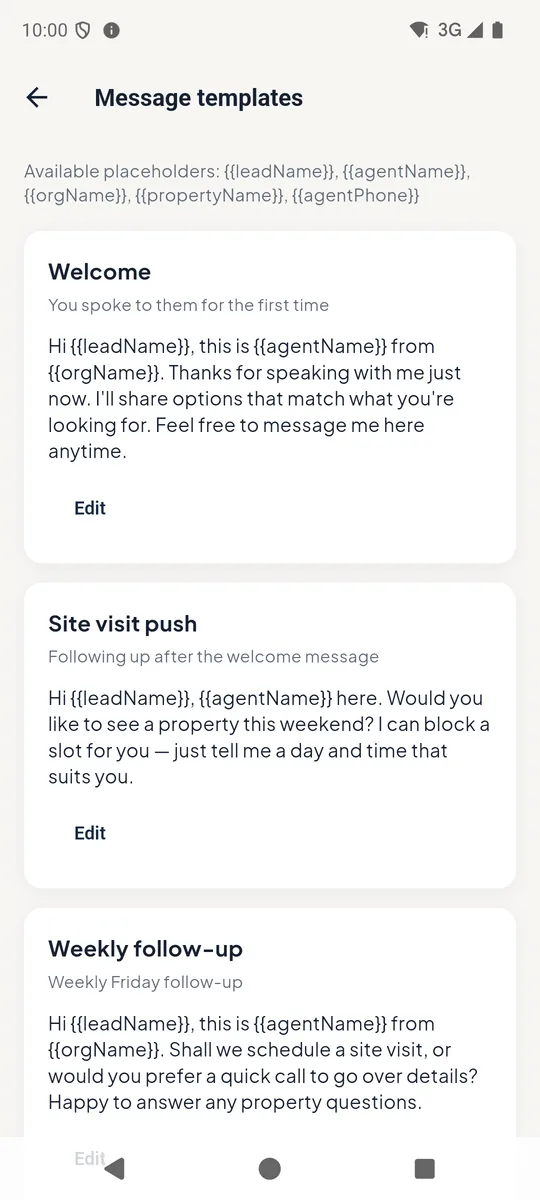
Tap the settings icon on that screen to open Message templates. Each message can be edited once and is used for every lead from then on.
Placeholders such as {{leadName}}, {{agentName}} and {{orgName}} are filled in automatically for each lead.
WhatsApp message templates
Good to know
- Messages go from your own WhatsApp, so customers see your number and reply to you directly.
- A lead who has gone quiet keeps getting a gentle weekly nudge until they reply or you close the lead.