Add a lead
Type the details, or pick the number from your contacts or recent calls.
1Basic information
On Leads tap + Add. Enter the name 1.
For the number, type it, pick it from your contacts 2, or from your recent calls 3.
Choose the lead type 4 - Customer, Channel Partner or Company - and where the lead came from.
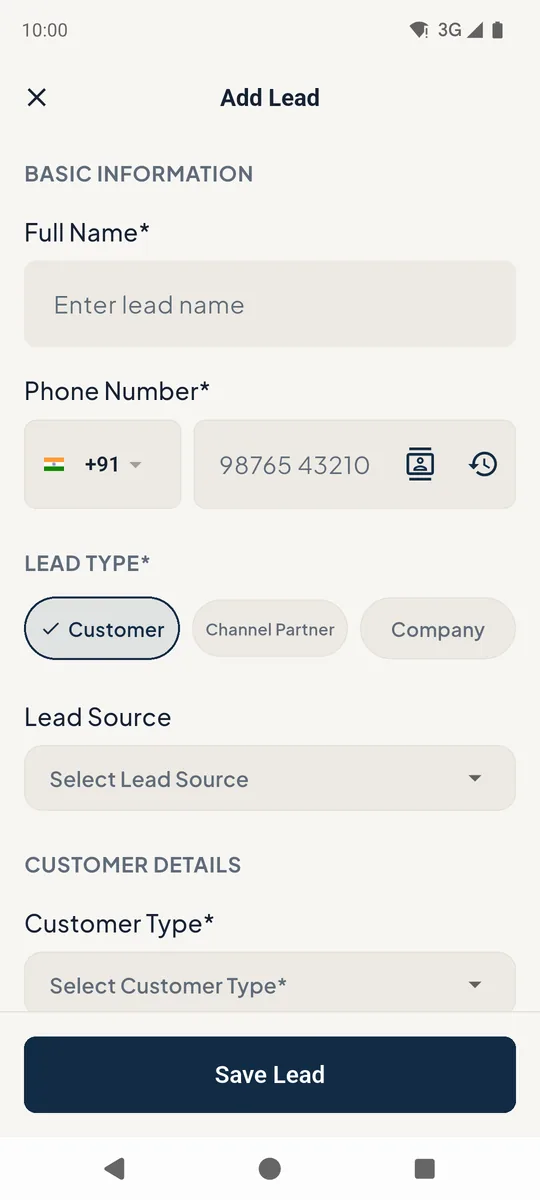 1234
1234Add lead form 2Requirement and assignment
Pick the customer type, property type, budget and preferred locations. Budgets are in Crores for buyers (0.80 = 80 Lakhs) and per month for tenants.
Assign the lead to yourself or a teammate, tick Follow-up Required to schedule the first call, then Save Lead.
Notes can be dictated: tap the microphone in the notes box.
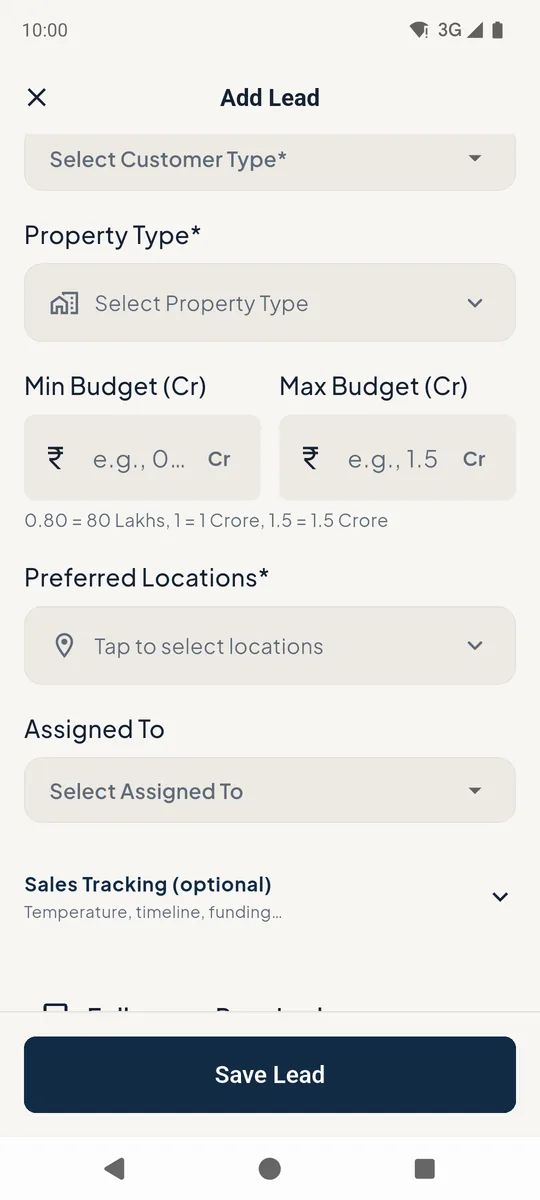
Add lead requirement fields
Still stuck? Email supportNext: Lead details and status →