Register a lead with the builder and share projects in one tap
Send your customer the projects that fit them, and register the lead with each builder's channel-partner desk at the same time - so the commission is yours.
1Pick the projects
Open the lead and tap Send project link in Project links.
Tap Pick, tick the projects 1 that match your customer and tap Done 2.
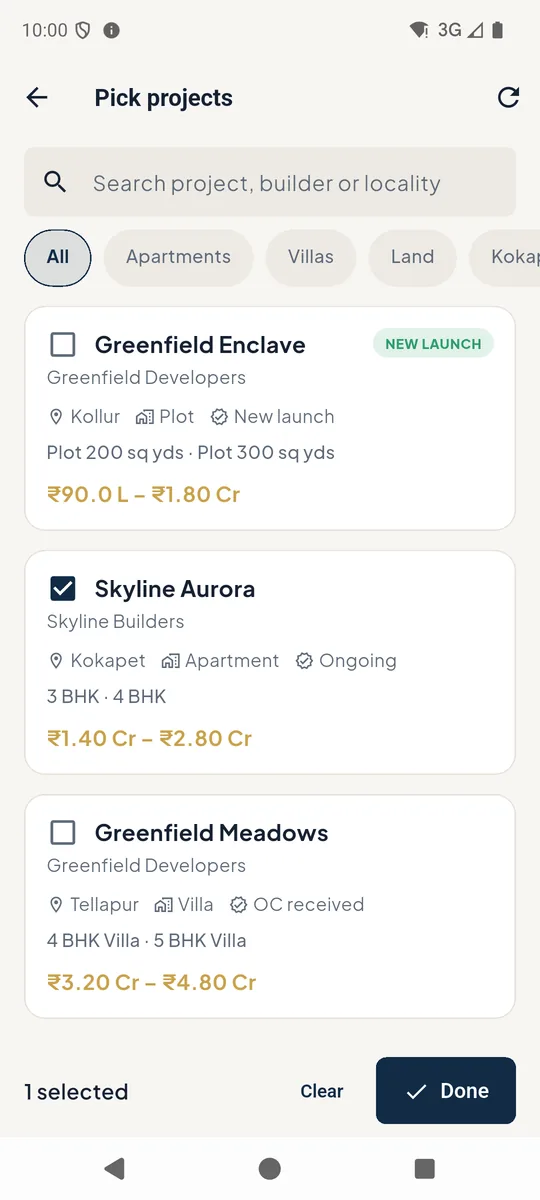 12
12Pick projects for the customer 2Register with the builder
Keep Register … with the builder ticked 1. PakkaLead emails each builder's CP desk with the customer's details from your company mailbox and records the claim - proof that you brought this customer.
Choose whether to Show prices 2 on the customer's page, then tap Create link & register 3.
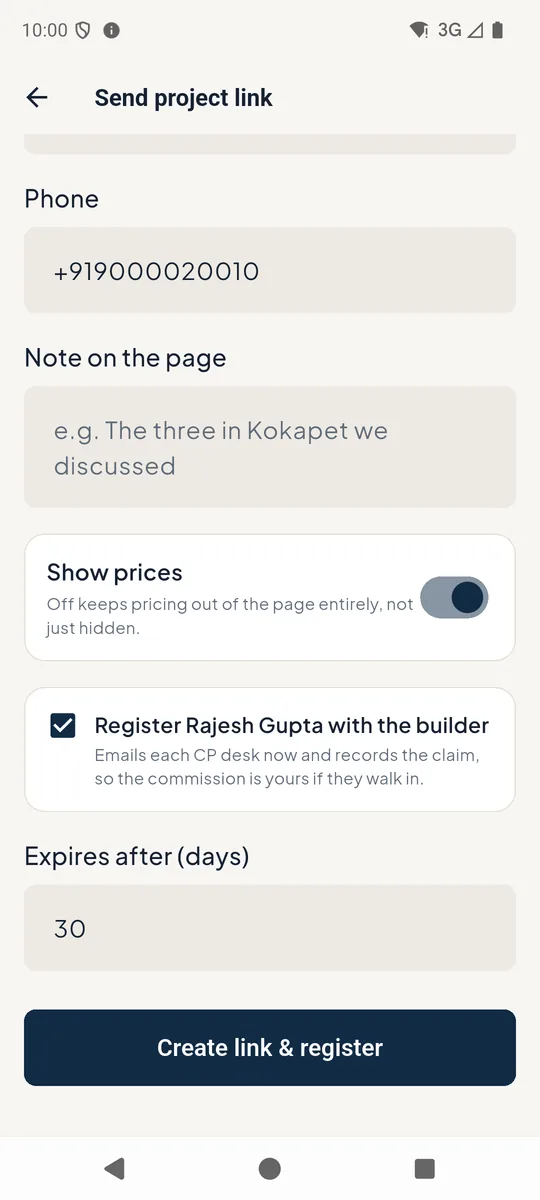 123
123Register the lead with the builder 3Share with the customer in one tap
You get one link to a clean page with only the projects you picked. Tap WhatsApp 1 to send it to your customer, or Copy link 2.
The builder card 3 shows the registration. If a builder has no email saved, it is recorded and you can send it yourself with the WhatsApp or Email buttons there.
Links expire on their own after the days you choose.
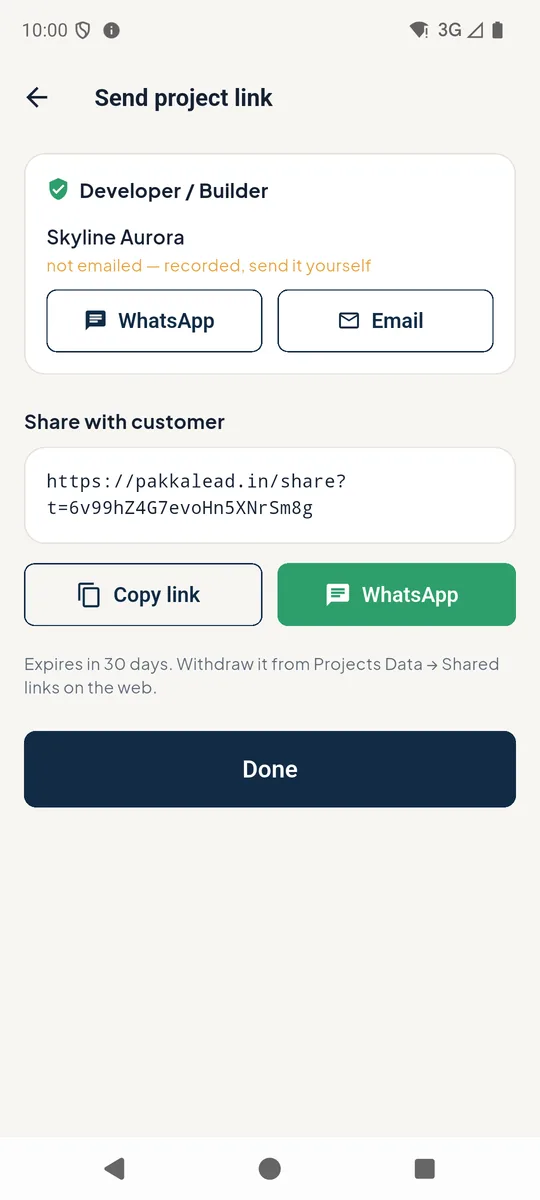 123
123Share the project link with the customer
Good to know
- Connect your company mailbox once in Profile → Email so registrations go out from your own address.
- Each builder's desk is saved once under Builders; every project of that builder uses it.