Commissions and payments
See what you've earned and record commission as it is paid.
1Your commissions
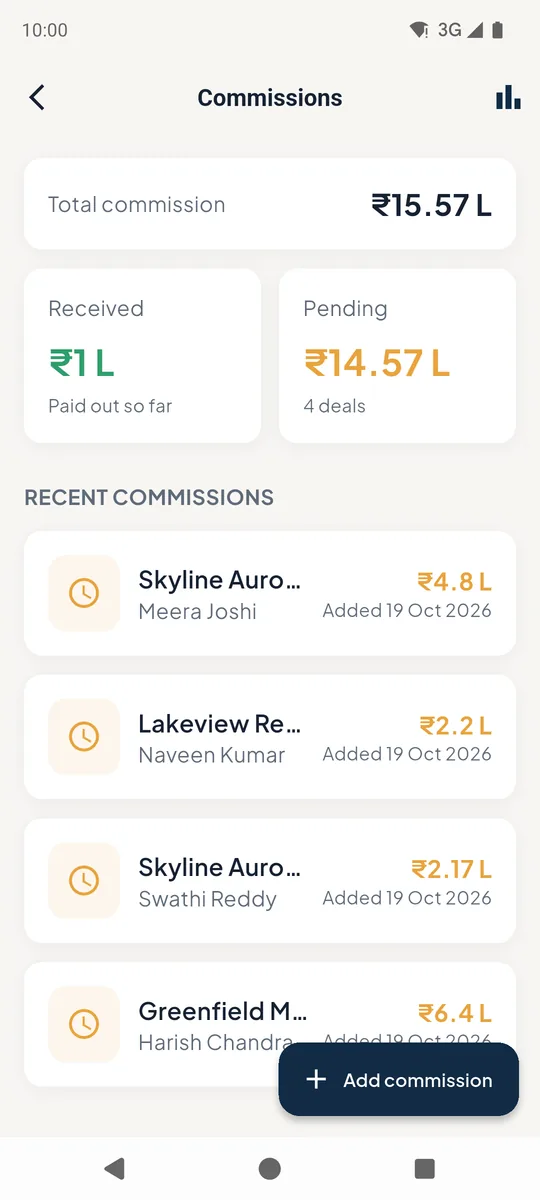
Tap Expected Commission on the home screen. You see the total 1, what has been received and what is pending 2.
Tap a deal 3 to record a payment. Add commission 4 adds a new deal with its commission %. The chart icon 5 opens analytics.
 12345
12345Commissions list 2Record a payment
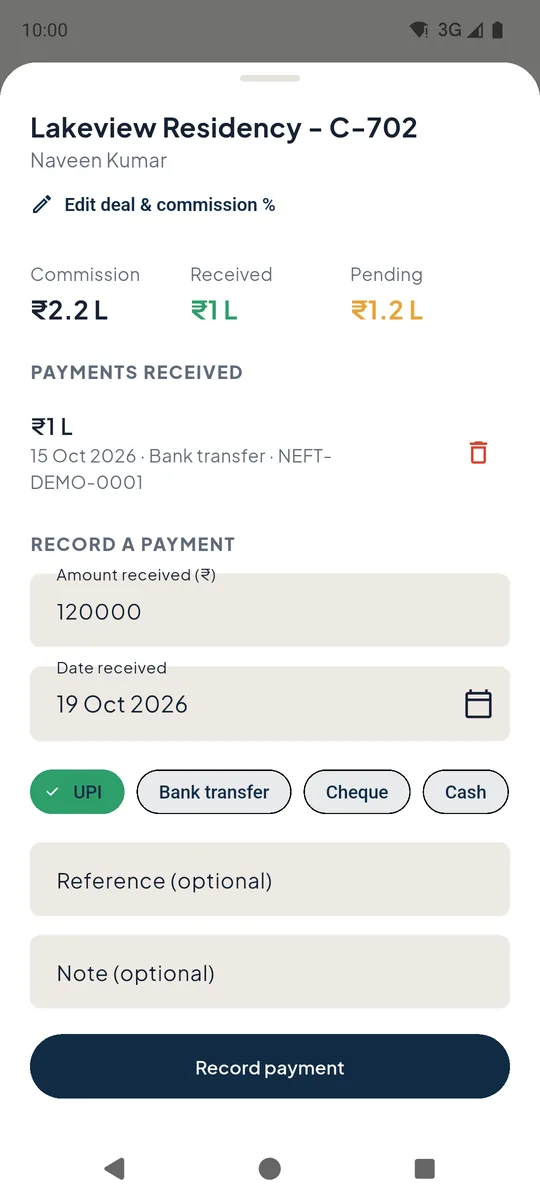
Enter the amount received 1 (it starts with what is still pending), the date, and how it was paid 2 - UPI, bank transfer, cheque or cash. Add a reference such as the UTR if you like.
Tap Record payment 3. Entered something wrong? Delete the payment with the bin icon 4.
To change the commission amount itself, tap Edit deal & commission % 5.
 12345
12345Record a commission payment 3Analytics
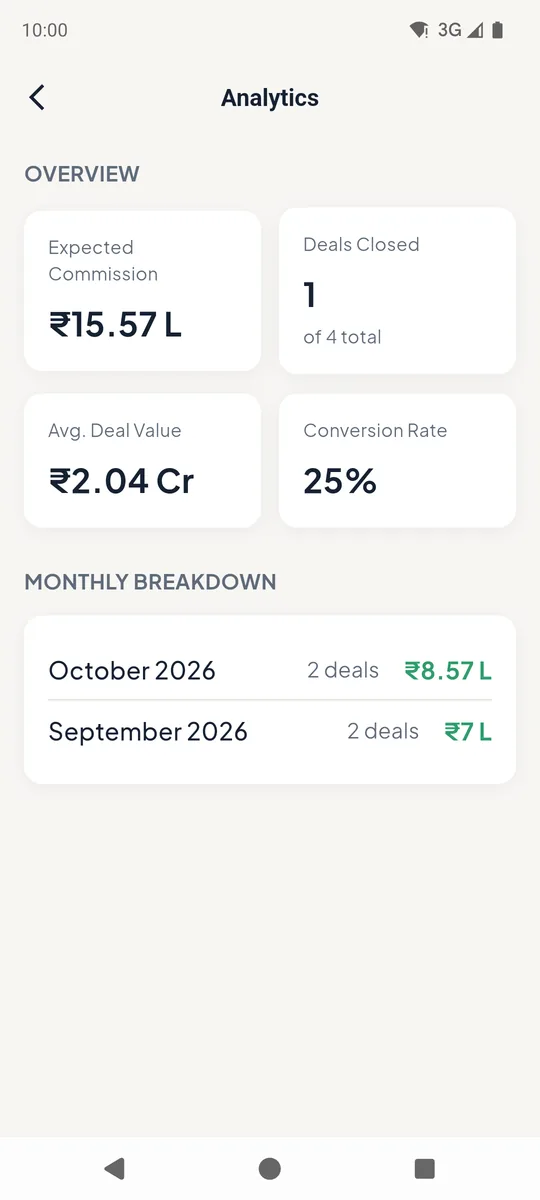
Expected commission, deals closed, average deal value, conversion rate and a month-by-month breakdown.
Commission analytics
Good to know
- Only the agent who owns a deal can record its payments. Managers see them read-only.
Still stuck? Email supportNext: Inventory →