Follow-ups
Schedule calls, WhatsApps, emails and meetings, and mark them done.
1See what's due
Open Pending from the home screen. The summary 1 counts pending, overdue, today and done.
Switch between Today, Overdue, Upcoming and All 2. Tap a follow-up 3 to see it.
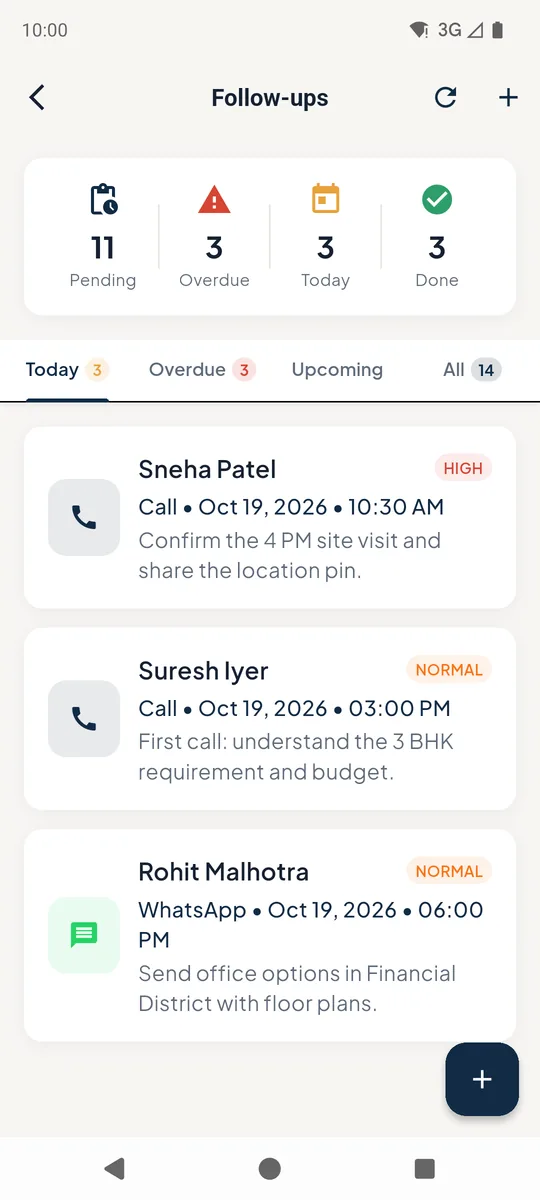 123
123Follow-ups list 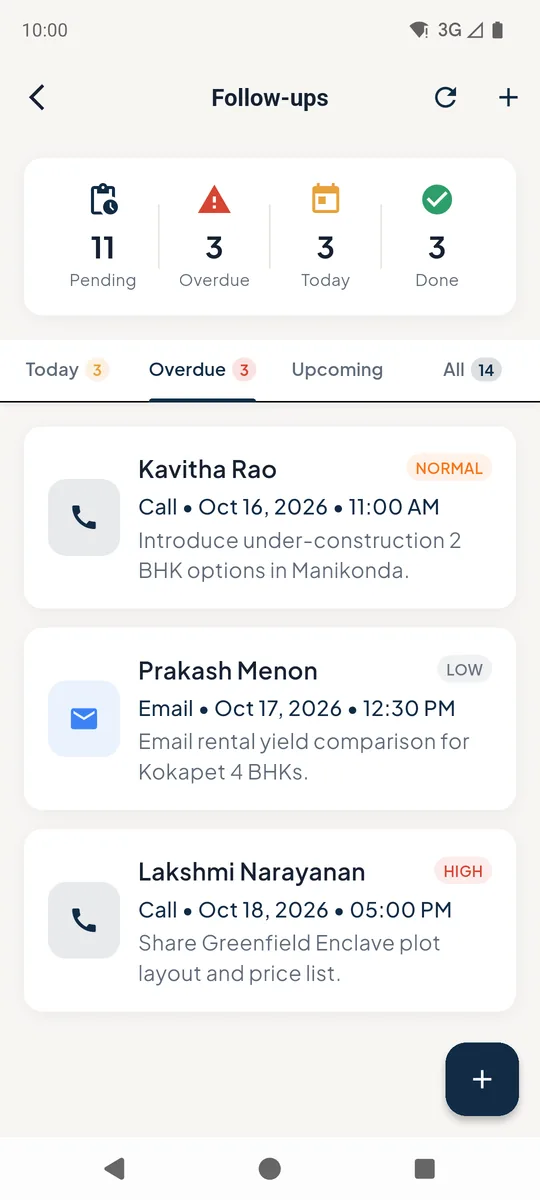
Overdue follow-ups 2Complete or change a follow-up
Tap Complete 1 once you have spoken to the lead - you can record the outcome, and a good outcome moves the lead forward in the pipeline.
Tap Edit 2 to change the date, time or notes.
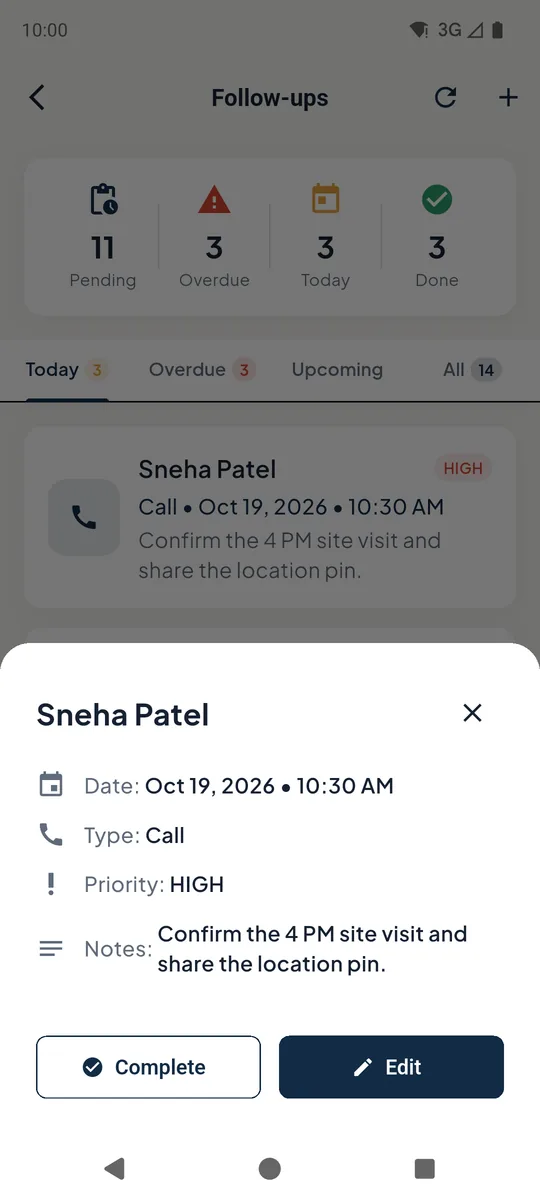 12
12Follow-up details with Complete and Edit 3Schedule a new follow-up
Tap +, search for the lead 1, pick the type 2 (Call, WhatsApp, Email, Meeting), set the date and time 3, then Schedule Follow-up 4.
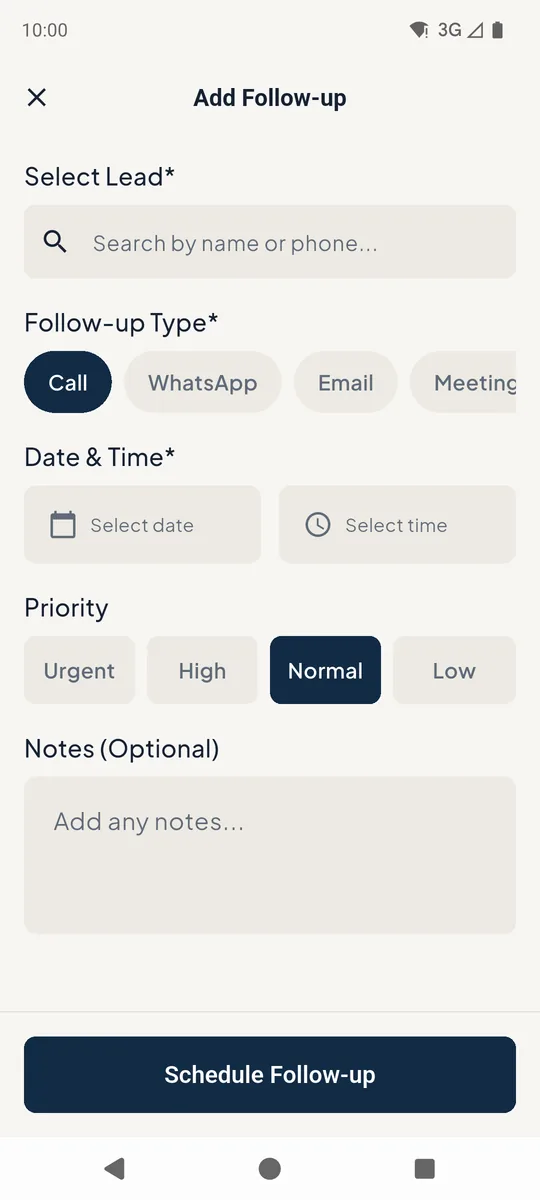 1234
1234Add follow-up form
Still stuck? Email supportNext: Site visits →