The home screen
Today's work at a glance, shortcuts to everything, and your business numbers.
1Today
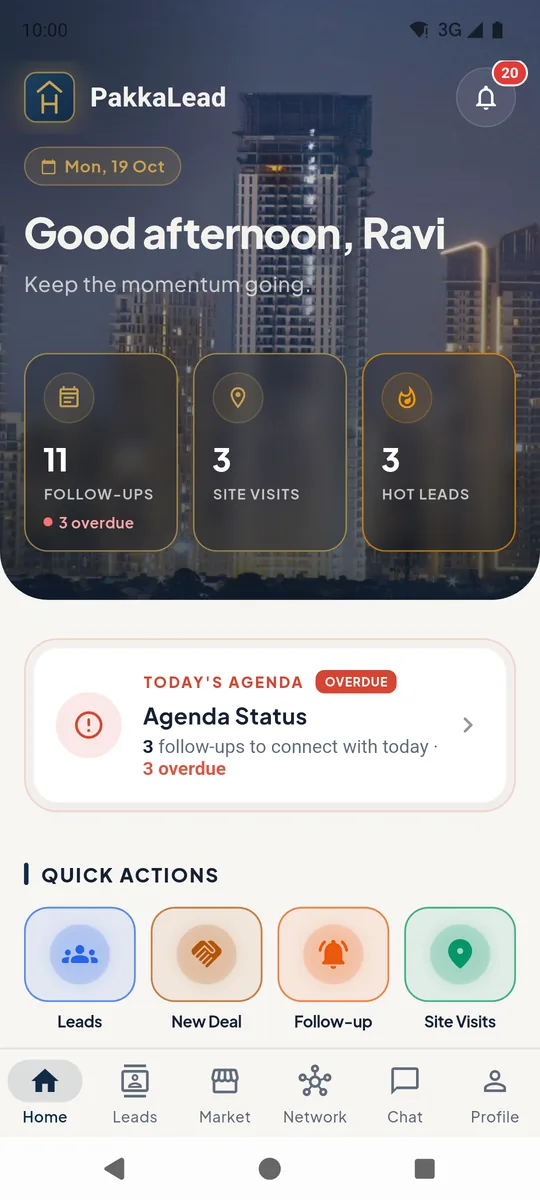
The three cards 1 show follow-ups due (with how many are overdue), today's site visits and your hot leads. Tap a card to open the list.
Today's Agenda 2 summarises what to do next. The bell 3 holds your notifications.
 123
123Home screen 2Quick actions and your business
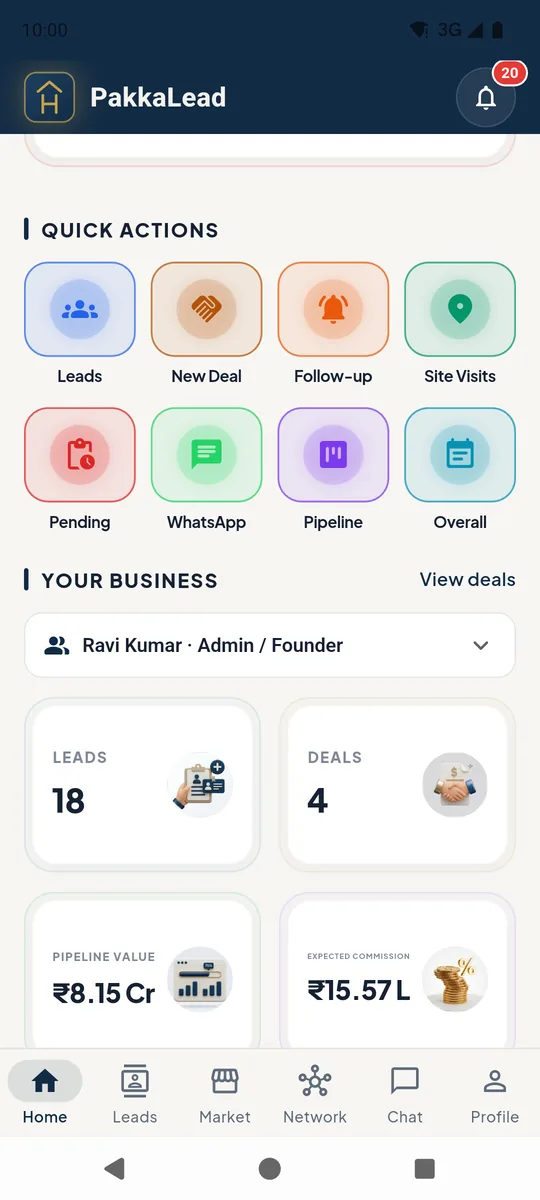
Quick actions 1 jump straight to adding a deal or follow-up, site visits, pending work, the WhatsApp queue and the pipeline board.
Under Your Business, admins and managers can switch 2 between their own numbers, one teammate's, or the whole team.
Pipeline Value and Expected Commission 3 add up all your deals. Tap them to open Deals and Commissions.
 123
123Quick actions and business stats 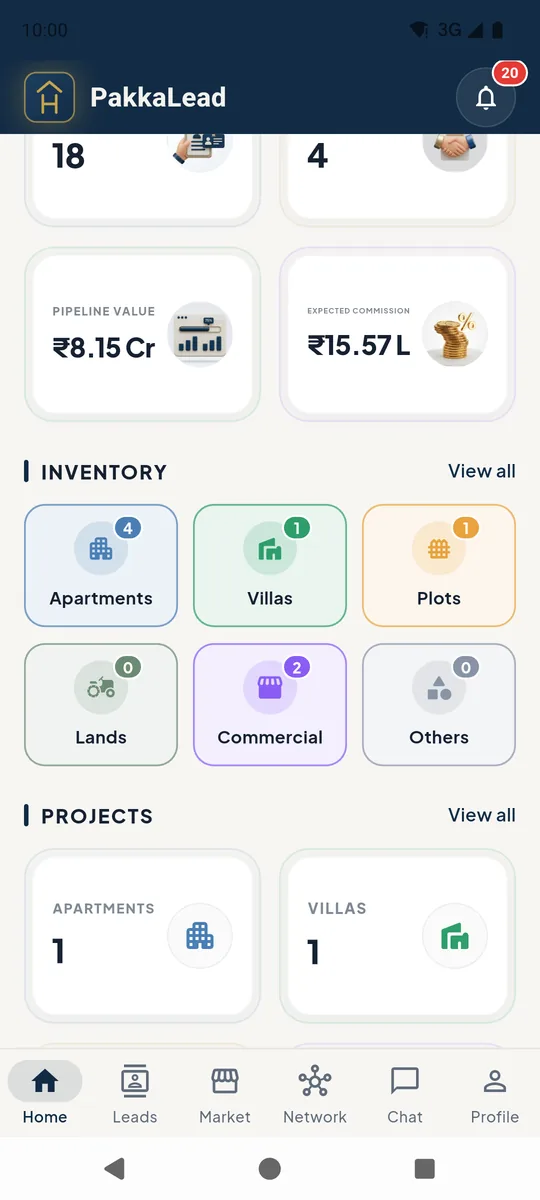
Inventory, projects and team on the home screen
Still stuck? Email supportNext: Follow-ups →