Allow reminders, contacts and calendar
Three optional permissions that let PakkaLead remind you and save you typing.
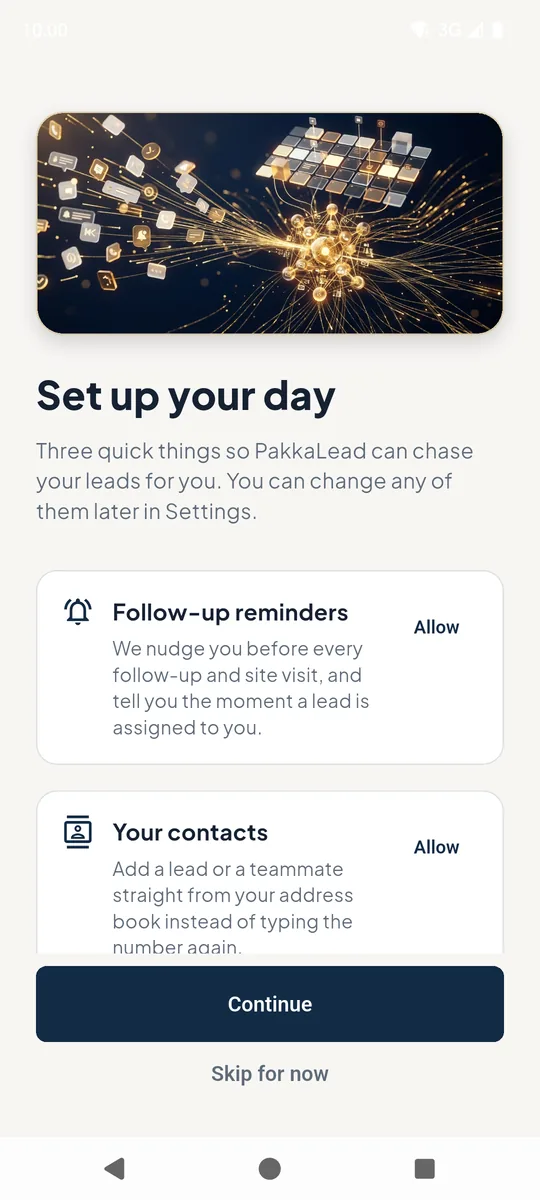
1Set up your day
Follow-up reminders 1 - notifications before each follow-up and site visit, and when a lead is assigned to you.
Your contacts 2 - pick a lead or teammate straight from your address book.
Phone calendar - puts follow-ups and site visits in your phone's calendar, so alerts arrive even when PakkaLead is closed.
Tap Allow next to each one, then Continue 3. Each item you allow turns green.
 123
123Set up your day permissions screen 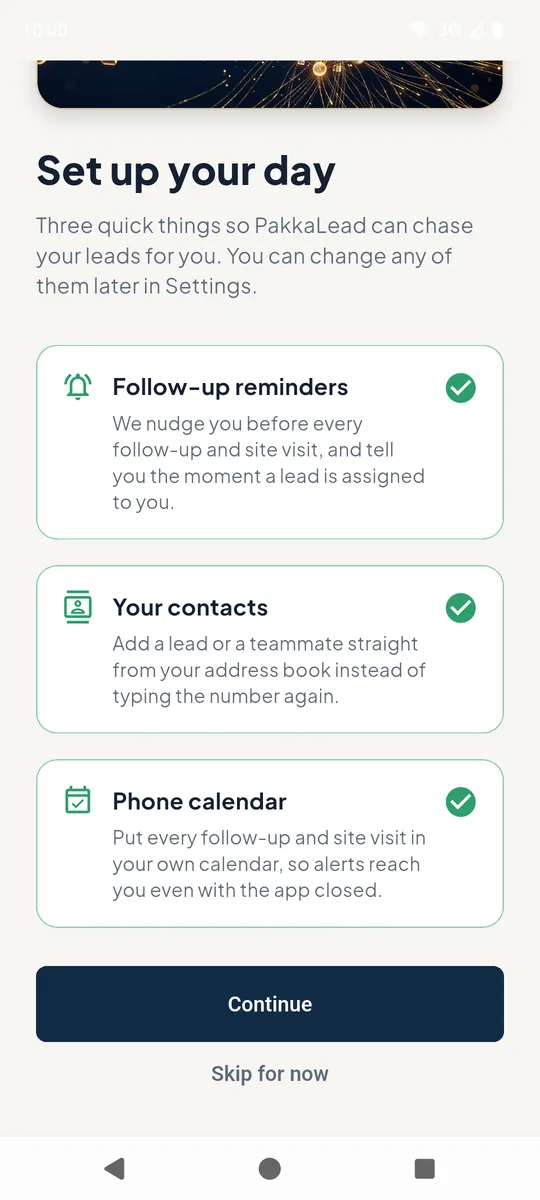
All three permissions allowed
Good to know
- Skipped one? Turn it on later from Profile → Settings.
Still stuck? Email supportNext: Turn on the after-call popup →