Inventory, projects and builders on the web
Manage listings and builder projects as sheets, and import them from Excel.
1Inventory
Import from Excel 1 brings in a whole listing sheet at once; Add manually 2 adds one property.
Double-click a cell 3 to edit it. Use the header arrows to sort and filter, and drag a header to reorder columns.
pakkalead.in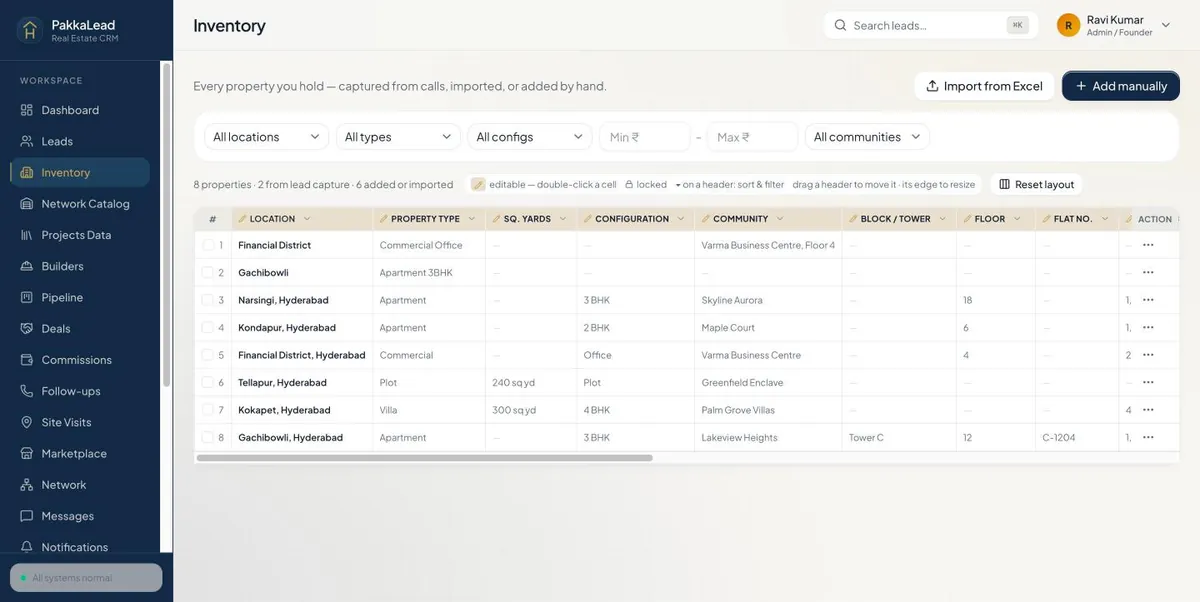 123
123Inventory sheet 2The ⋯ menu on each property
Click ⋯ 1 at the end of a row: View property or Edit property 2, Call owner, WhatsApp or Copy number 3, and Mark as Sold or Delete 4.
pakkalead.in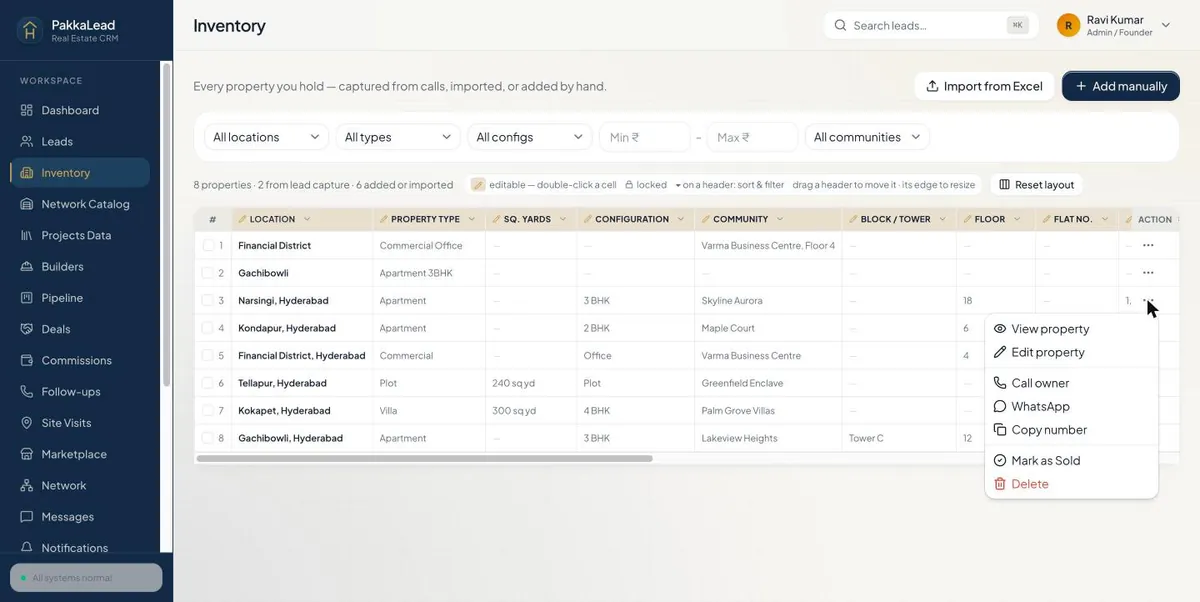 1234
1234Inventory actions menu 3Projects and builders
Projects Data lists every builder project with prices, configurations and sizes. Click a project name 1 for its full brief. Bulk add 2 imports many at once.
Builders keeps each builder's channel-partner desk - contact, email and how to register a lead.
pakkalead.in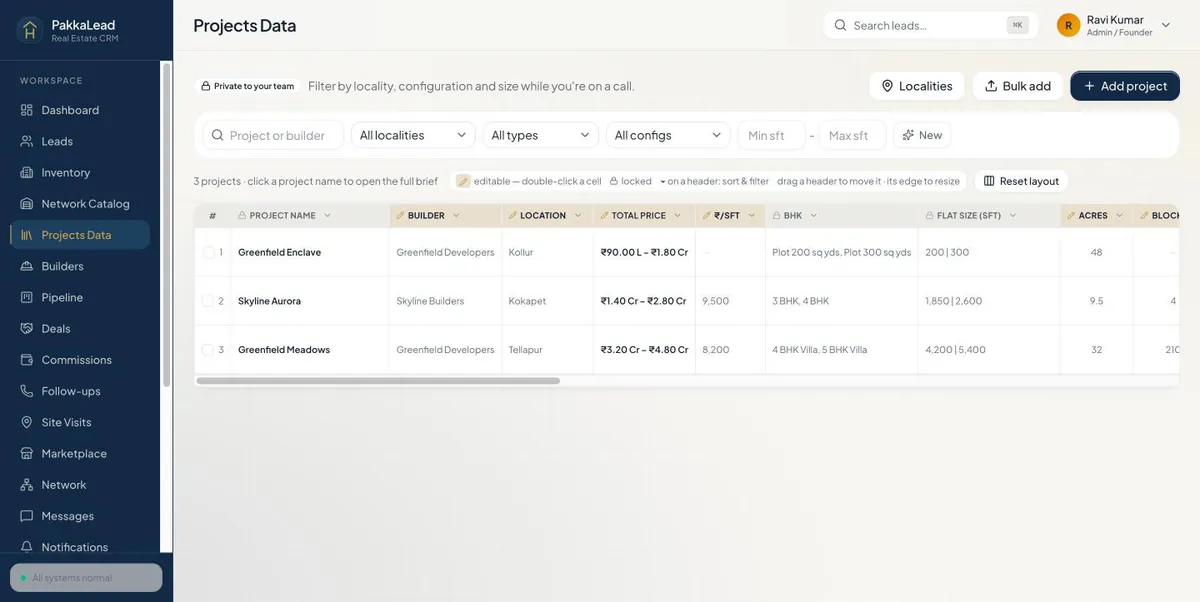 12
12Projects sheet pakkalead.in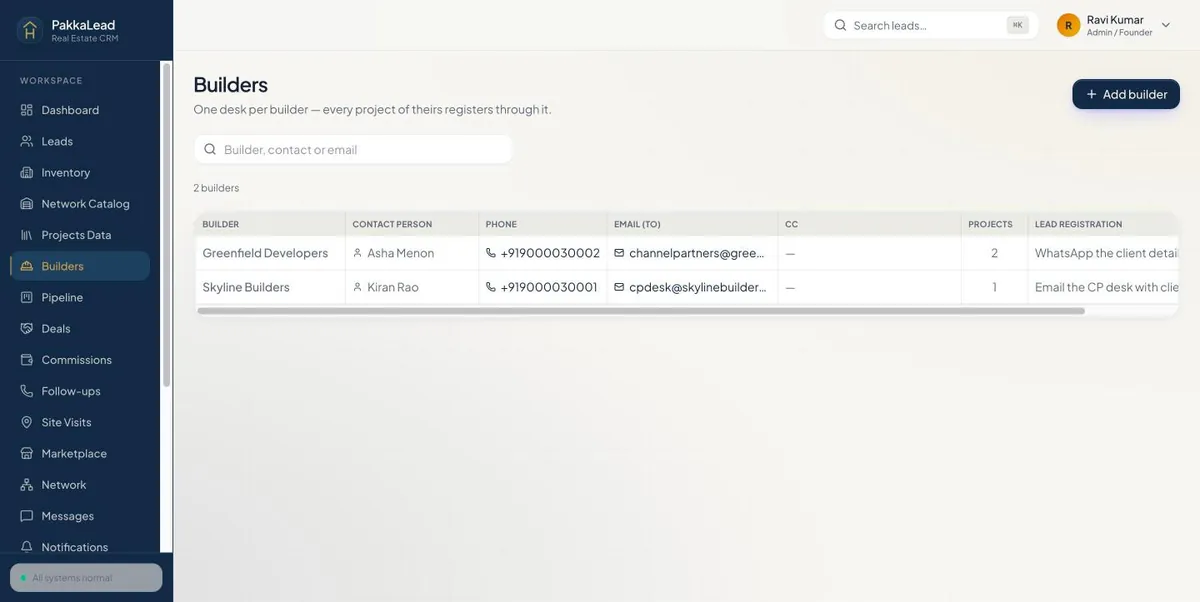
Builders 4Open a project and share it
Click a project's name to open its brief - price range, size, blocks, possession, RERA number and every configuration. Edit 1 or delete it from the top.
To send projects to a customer, open the customer's lead and choose Send project link from the ⋯ menu. Pick the projects, keep Register with the builder ticked, and share the link on WhatsApp - see Register a lead with the builder.
pakkalead.in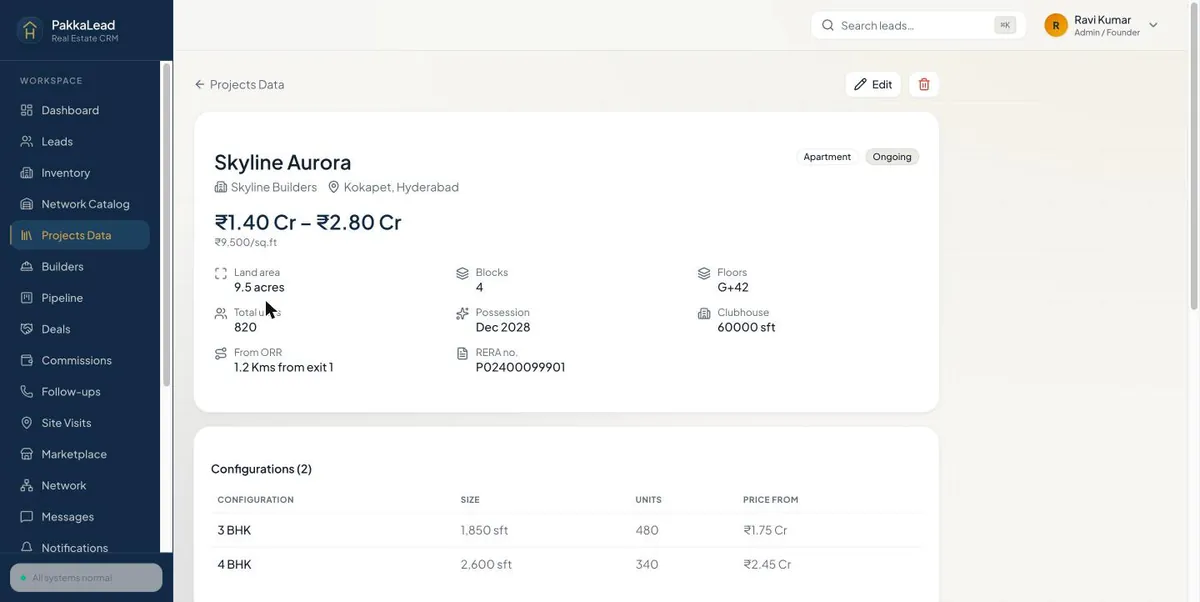 1
1Project brief